
Table of Contents
Introduction
As we all know, most resources on the internet are shared via cloud storage. However, most cloud storage services in China have severely limited download speeds without requiring payment. Downloading even a slightly large file can take tens of minutes or even hours, which is incredibly frustrating. So today, I’m going to share a cloud storage download tool with unlimited speed, allowing you to say goodbye to the frustration of slow downloads.
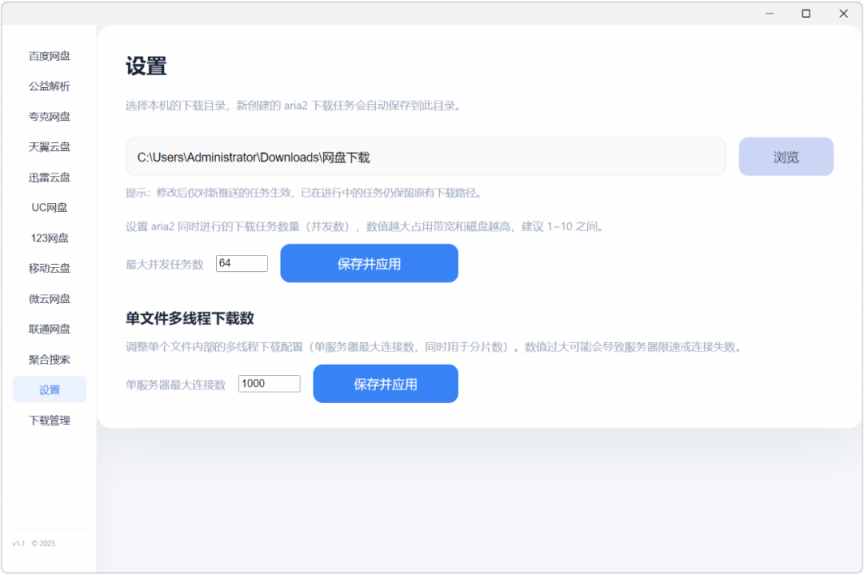
X网盘助手 Setup 3.0.0 is a high-speed download tool for cloud storage, available for Windows computers. It allows for online parsing and high-speed downloads from nine different types of cloud storage services! This software has built-in access to nine major domestic cloud storage services, which can remove the speed limits on resources within these services.
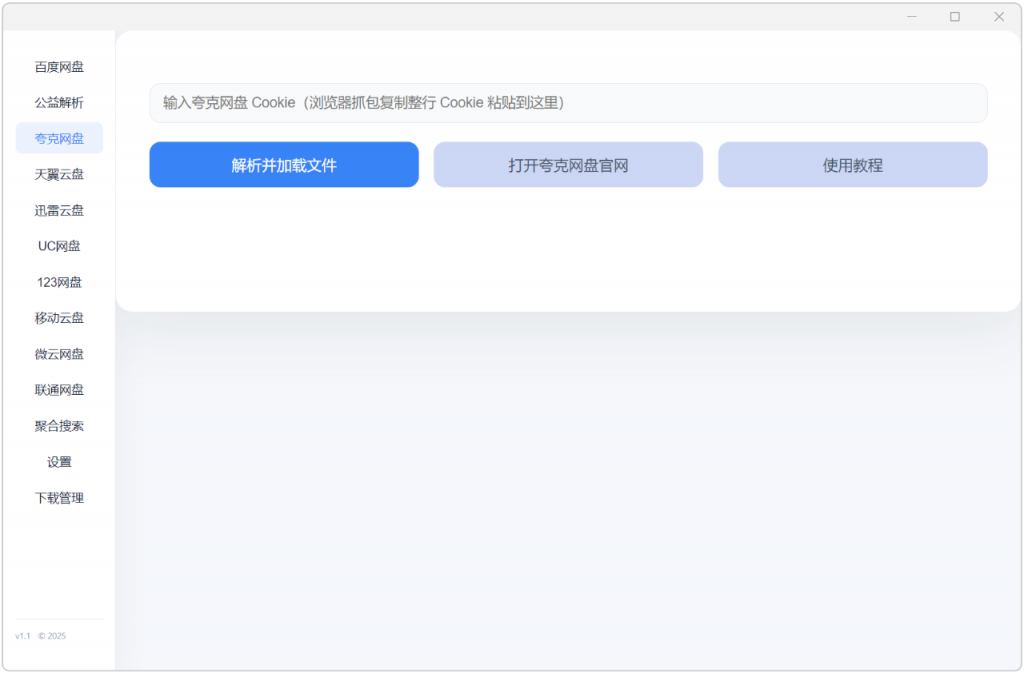
It’s very easy to use; simply enter your cloud storage cookie to view the files stored in your cloud storage in real time.
This is an unlimited-speed cloud storage download tool. It has built-in unlimited-speed downloads of resources from nine major domestic cloud storage services. It is also very easy to use. Just fill in the cookie of the cloud storage link to achieve high-speed download of cloud storage resources. At the same time, it also has a built-in resource aggregation search. Enter the name of the resource you want to find, and you can find the download link of the resource you need in various cloud storage services.
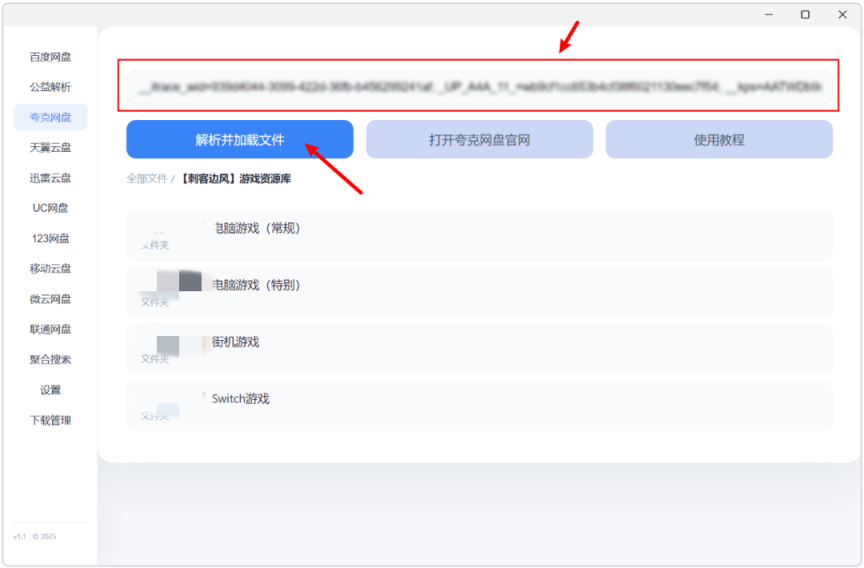
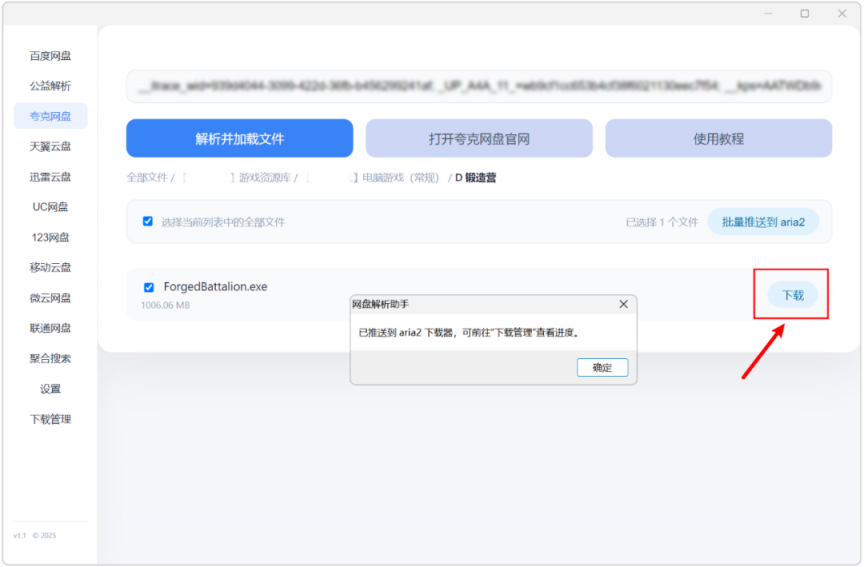
Single download is also possible:
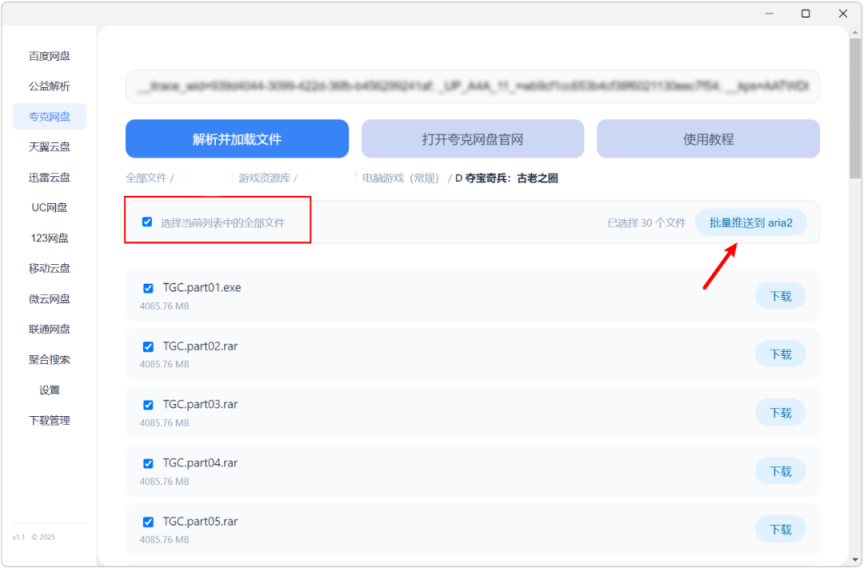
Alternatively, you can select all and download in batches:
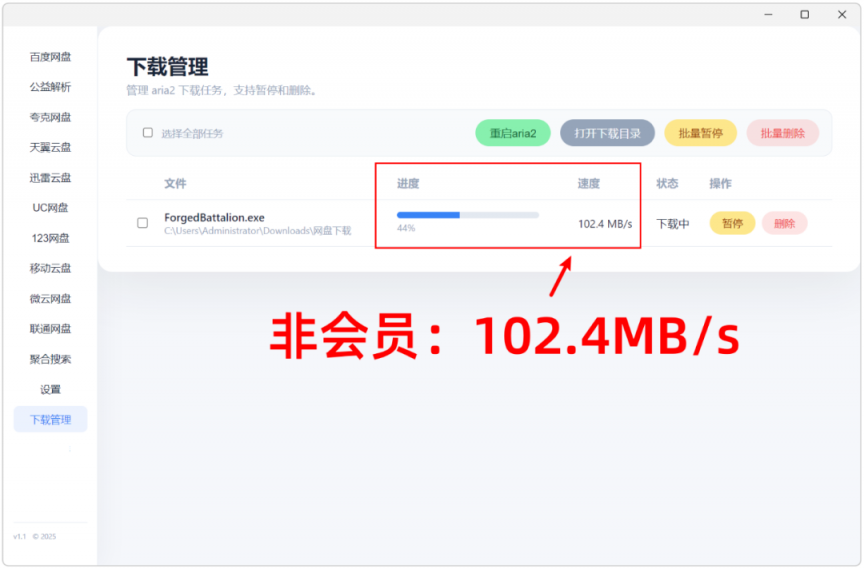
Click on the download management on the left to see the specific tasks, and the download speeds are also readily apparent!
Find your own cloud storage cookies
As for how to find your own cloud storage cookies, simply open the cloud storage – web version:

Then, press F12 on your keyboard, locate the top network, and the middle document:
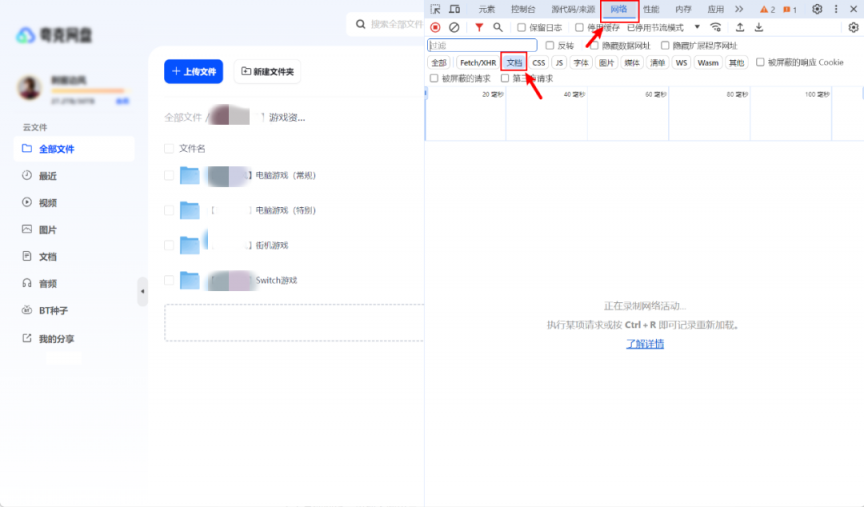
Press F5 to refresh. At this point, two more documents will appear in the name field.
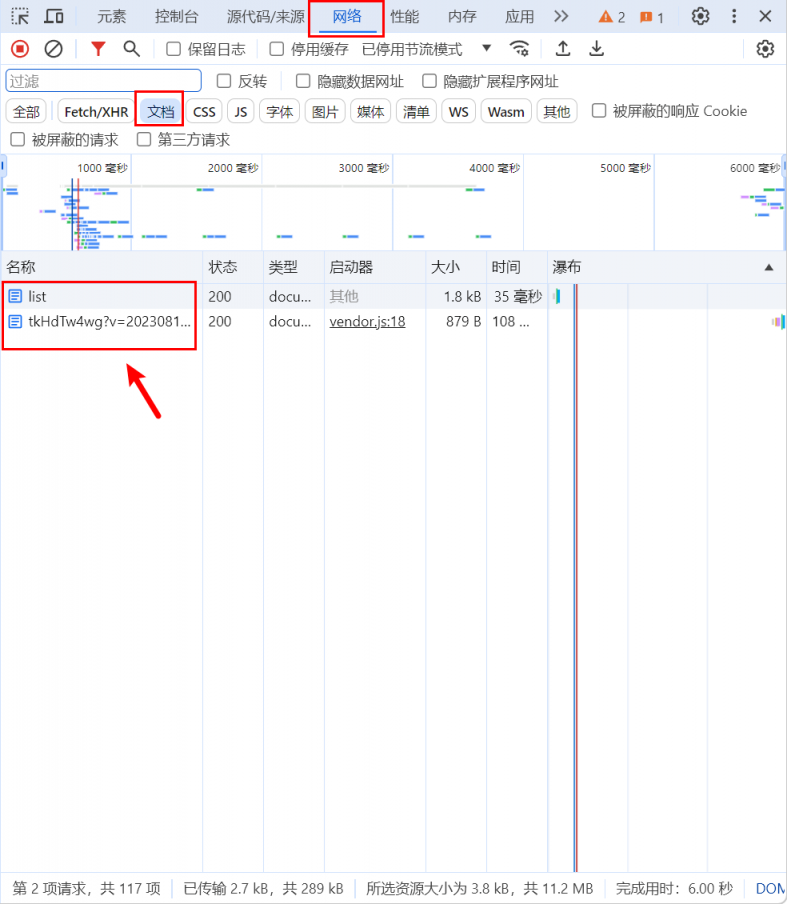
Select the second option, scroll down from the top, and find the Cookie section:
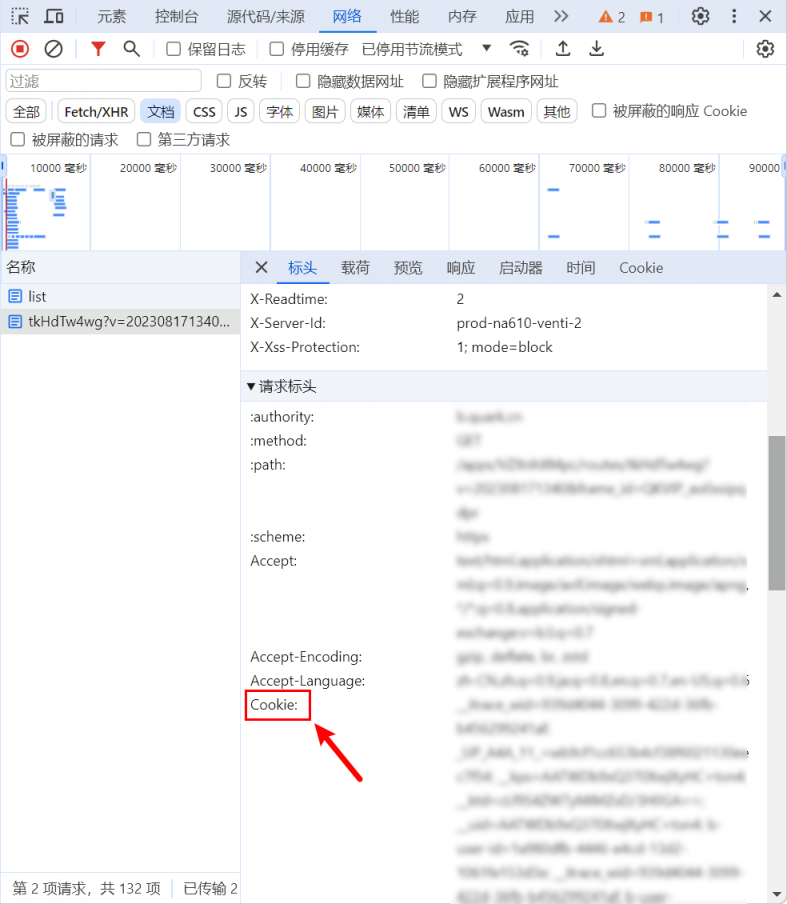
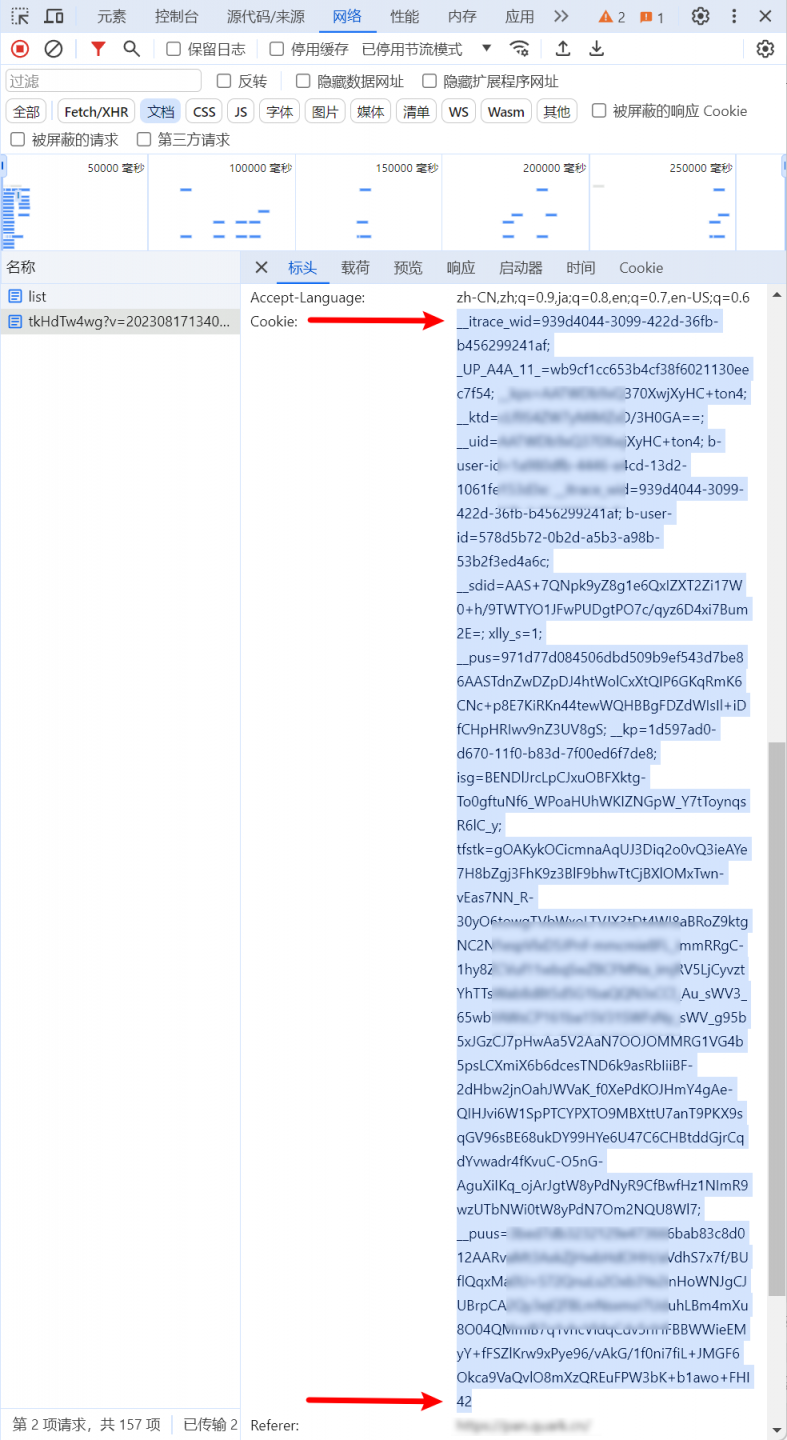
Copy the entire field on the right:
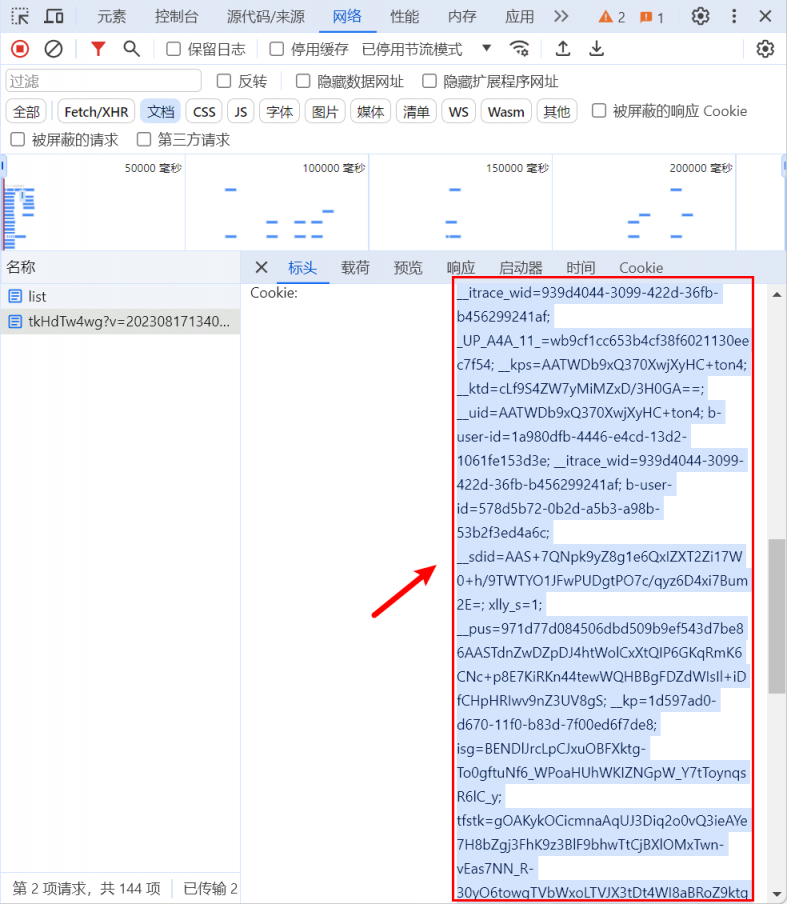
Note that the beginning and end must be aligned; there should be no more or less.
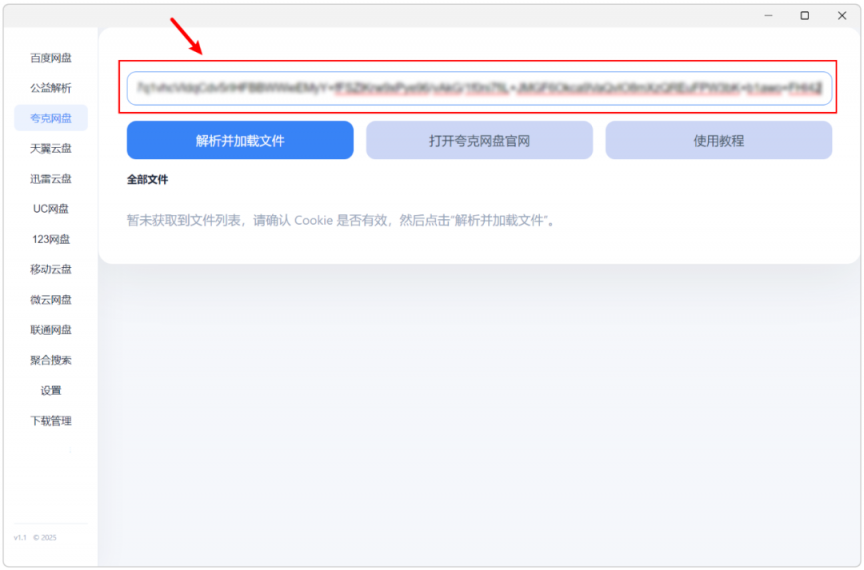
Then paste the copied fields into the corresponding cloud drive input box:
Then select “parse and load file,” and it will be usable normally.
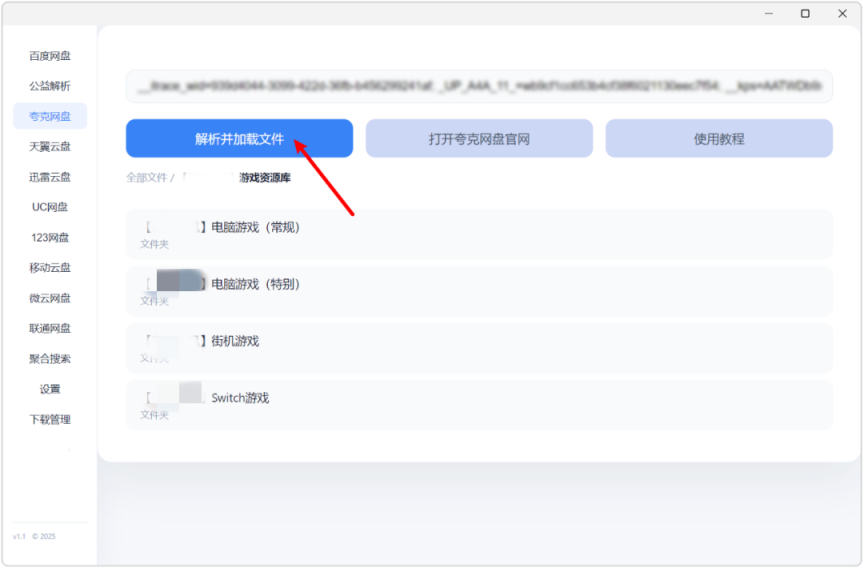
As for other cloud storage services, they are all pretty much the same.

The tool itself requires no tinkering and has nothing that interferes with or affects the user experience.
Download links:
X网盘助手 Setup 3.0.0.zip
Link 1: Quark: https://pan.quark.cn/s/c1cd6ea56598
Link 2: Baidu: https://pan.baidu.com/s/1Aa7yt0OJxLoBjvBNmAZ5Dg?pwd=1024 Extraction code: 1024
Link 3: UC: https://drive.uc.cn/s/ac03816099e74
Link 4: Xunlei: https://pan.xunlei.com/s/VOgMMPAwnrGTp9BPl3HAVzhPA1?pwd=y3ez#