
In today’s digital age, where performance demands are constantly increasing, Windows systems, despite their powerful features, often become sluggish, bloated, and unresponsive over time. A clean, smooth, and highly optimized operating system environment is crucial, especially for gamers, office users, and tech enthusiasts striving for ultimate efficiency. To address this, ZyperWin++ v4.0 251004 (Chinese Portable Edition) has been developed—a lightweight, versatile system optimization and management tool tailored for Windows 7 through the latest versions of Windows 11. It integrates performance tuning, garbage collection, service management, system activation, and Office installation, truly achieving “one tool for a worry-free system.”
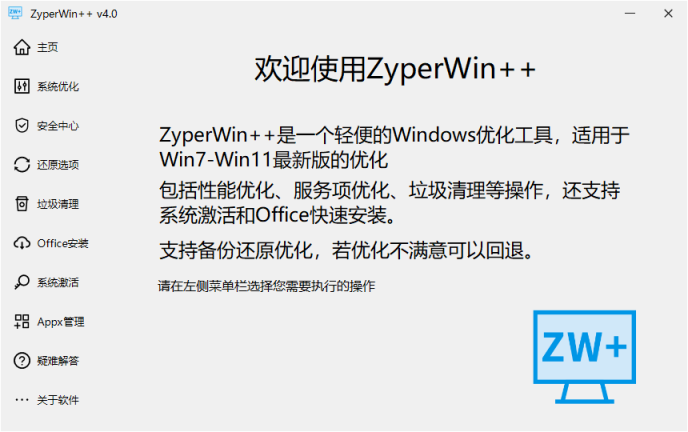
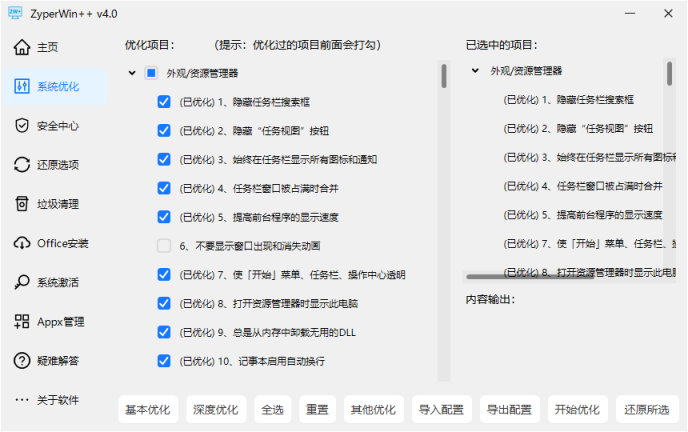
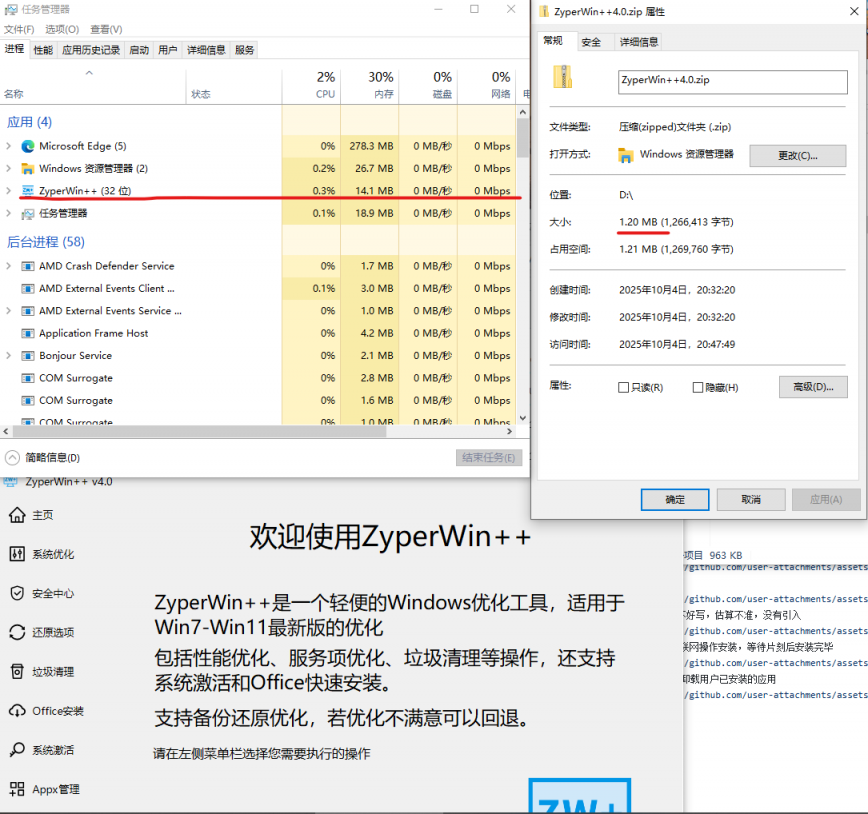
Table of Contents
What is ZyperWin++?
ZyperWin++ is a free, open-source system optimization tool meticulously designed by developers. It features a simple, intuitive graphical interface, requires no installation, and is completely portable. It’s not only suitable for everyday users looking to quickly boost their computer speed, but is also popular among advanced users and system administrators for its deep customization options and flexible configuration management.
The latest release, version 4.0 251004, features a comprehensive upgrade of the user interface and underlying logic, adopting a modern AntDUI design style for improved visual appeal and smoother operation. It also adds several new practical features, marking a new era for the tool’s efficiency, intelligence, and customization.
Detailed explanation of core functions
✅ Triple optimization mode: meet different user needs
ZyperWin++ provides three levels of system optimization solutions, which users can choose freely according to their usage scenarios:
✅ Refined customization and optimization: control every detail
In addition to the preset modes, ZyperWin++ also supports manual configuration of each item, giving users full control over the system:
✅ Practical tool integration: one-stop system maintenance center
ZyperWin++ is not just an optimization tool, but also an all-round system assistant with many useful built-in features:
Software core advantages
: simple interface and intuitive operation
All functions are integrated into one main interface with clear classification and clear buttons. Even first-time users can quickly understand the functions of each function without having to refer to complicated tutorials.
🔹 Green and portable, safe and reliable
No installation required, just unzip and use. It doesn’t write to the registry (unless the user actively chooses to), and it won’t leave any residue on the system. More importantly, the software comes with a built-in system restore point function. If problems arise after optimization, you can restore to the pre-optimization state with one click, greatly reducing the risk of misoperation.
🔹 Open source and free, no ads or bundled items
ZyperWin++ is a completely open source project with transparent code that has been reviewed by the community. It has no backdoors, no mining, no pop-up ads, and no third-party software bundled. Users can use it with confidence, eliminating privacy leaks and system pollution.
v4.0 251004 Major Update Highlights
This update is the most comprehensive upgrade in recent years, bringing many improvements to the user experience:
Conclusion: A Compact Tool with Powerful Functionality.
ZyperWin++ v4.0 251004 is not only a system optimization tool, but also a “system manager” for modern Windows users. It encapsulates complex operations such as registry modifications, service disabling, and privacy settings into a simple, easy-to-understand interface, allowing every user to easily control their computer. Whether you want to speed up an old computer, deeply customize a new system, or quickly activate the system and Office, it provides a one-stop solution.
Most importantly, it is free, open source, user-friendly, and unbundled, truly putting the user first and making it a rare and conscientious tool on the current Windows platform.Download
Open source address: https://github.com/ZyperWave/ZyperWinOptimize
Network disk link: https://pan.xunlei.com/s/VOapTQisq5a0yZ5d3CpR3m1QA1?pwd=9v5u#