
Table of Contents
【Wondershare PDFelement Pro V12.0.1.3716】
●Wondershare PDFelement Pro (often known as “Wondershare PDF Expert” in China) is a comprehensive, professional, and powerful PDF processing software.
Widely hailed as a “strong alternative to Adobe Acrobat Pro,” it offers a more competitive price and a simpler, more intuitive user interface. Designed to provide users with a one-stop solution for creating, editing, converting, annotating, signing, protecting, and organizing PDF files, it significantly improves PDF document processing efficiency for individuals and businesses.
【Software Features】
●Powerful Editing Features:
Text Editing: Modify text content in PDFs just like you would with a Word document, changing font, size, color, alignment, and more.
Page Management: Easily add, delete, extract, crop, rotate, replace, and reorder pages. Merge multiple PDF files into one.
Object Management: Edit, move, resize, or delete images, links, watermarks, backgrounds, and more.
●Excellent OCR (Optical Character Recognition) technology:
This is one of its core advantages. It can accurately convert “non-editable” documents such as scanned PDFs and image PDFs into fully editable and searchable text.
It supports multiple languages and maintains the original document’s layout and formatting.
●Convenient annotation and comment tools:
Provides rich annotation tools such as highlighting, underlining, strikethrough, text boxes, sticky notes, stamps, hand-drawn doodles, etc., which are very suitable for team review and paper proofreading.
●Efficient format conversion:
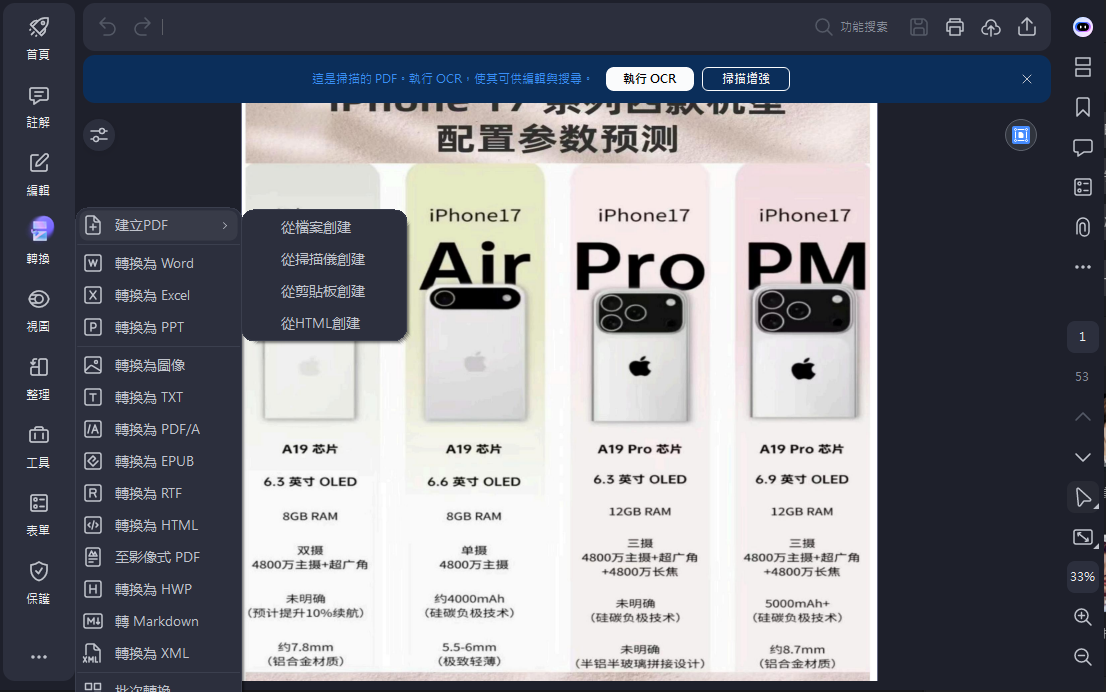
Output to other formats: Convert PDFs to Word, Excel, PPT, images (JPG, PNG, TIFF), HTML, TXT, and other formats with high quality, with a high degree of format restoration after conversion.
Create PDFs: Create PDF files from various documents such as Word, Excel, PPT, images, and even web pages with one click.
●Form Data Processing:
Quickly create and edit fillable PDF form fields (such as text boxes, radio buttons, checkboxes, etc.).
Powerful form data recognition and automatic extraction capabilities greatly simplify the task of collecting and managing form data.
●Document Security and Signatures:
Digital Signatures: Add legally binding digital signatures or draw handwritten signatures.
Password Protection: Encrypt PDF files with passwords to restrict printing, copying, editing, and other operations, protecting sensitive information.
●Batch processing function:
supports batch conversion, batch encryption, batch watermark addition, batch OCR, etc. It is suitable for users who need to process a large number of PDF files and can save a lot of time.
【Installation】
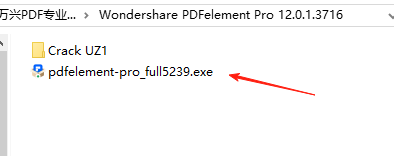
●Get the software installation package and crack file compressed package at the end of the post, unzip it to get the folder: Wondershare PDFelement Pro 12.0.1.3716, double-click the Wondershare PDF Professional installer: pdfelement-pro_full5239.exe to install it
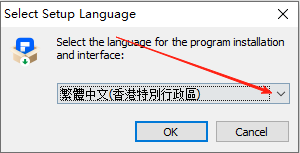
●The shared version does not have Simplified Chinese, you can choose Traditional Chinese for installation
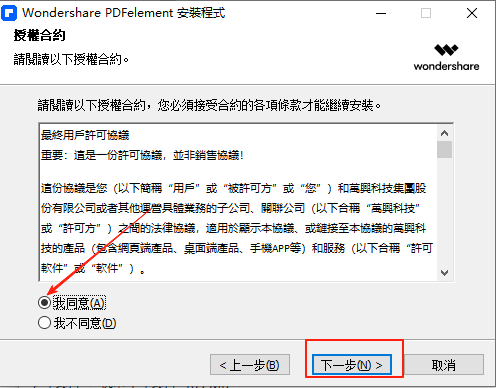
●The user agreement needs to check the [I Agree] option to continue the next step of installation
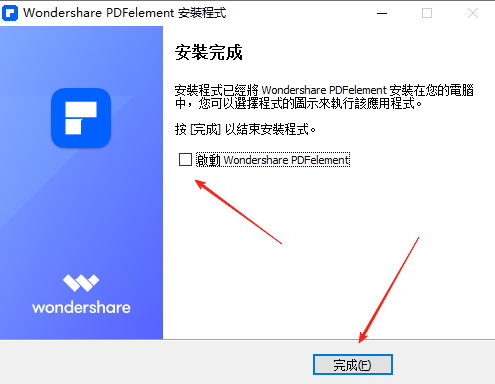
●After the installation is complete, uncheck the Start checkbox and then click the Finish button (without running the program)
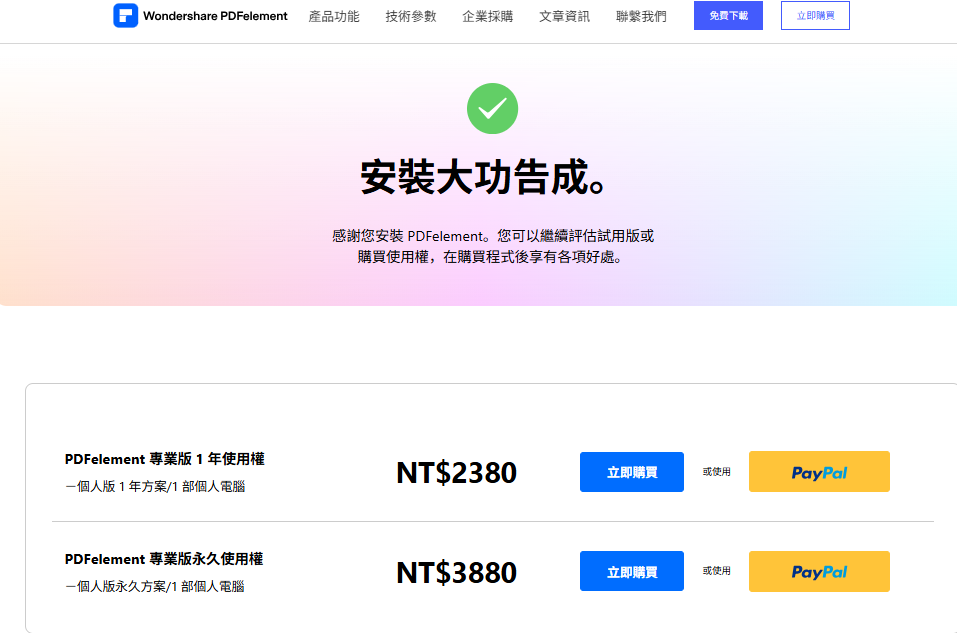
●After the installation is complete, the purchase page pops up, you can ignore it and just close the page.
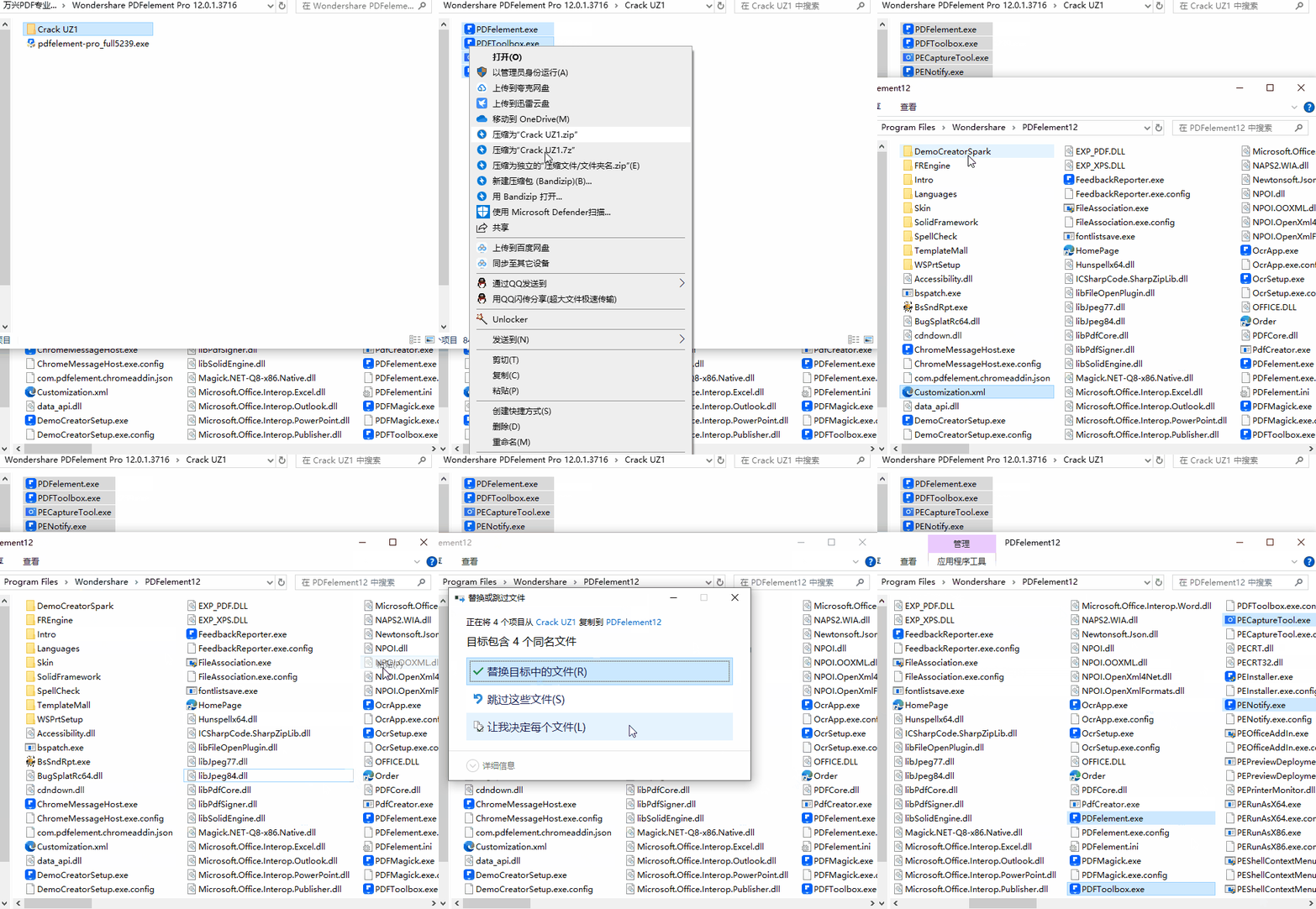
●Go back to the unzipped folder and open the crack folder: Crack UZ1. Copy all four program files in it to the Wondershare PDF Professional installation directory and overwrite them. The default directory is D:\Program Files\Wondershare\PDFelement12. It is usually installed in a path other than the C drive. Just open it yourself. When overwriting the file, if it shows that it is occupied, it means that a program is already running. Right-click the program icon in the lower right corner to exit and then overwrite it.
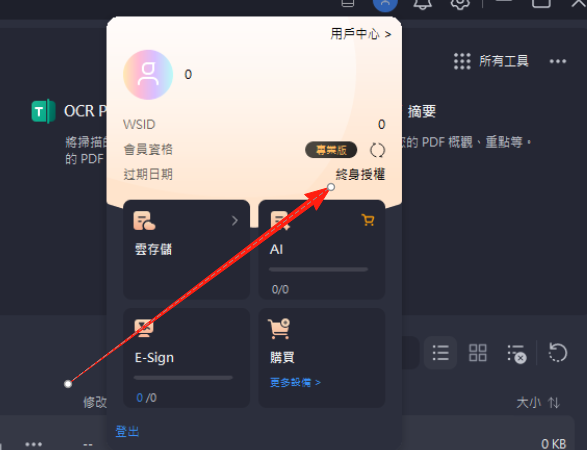
●After completion, open the program again to see the authorized version, and the shopping cart icon will disappear.
【Function Screenshots】
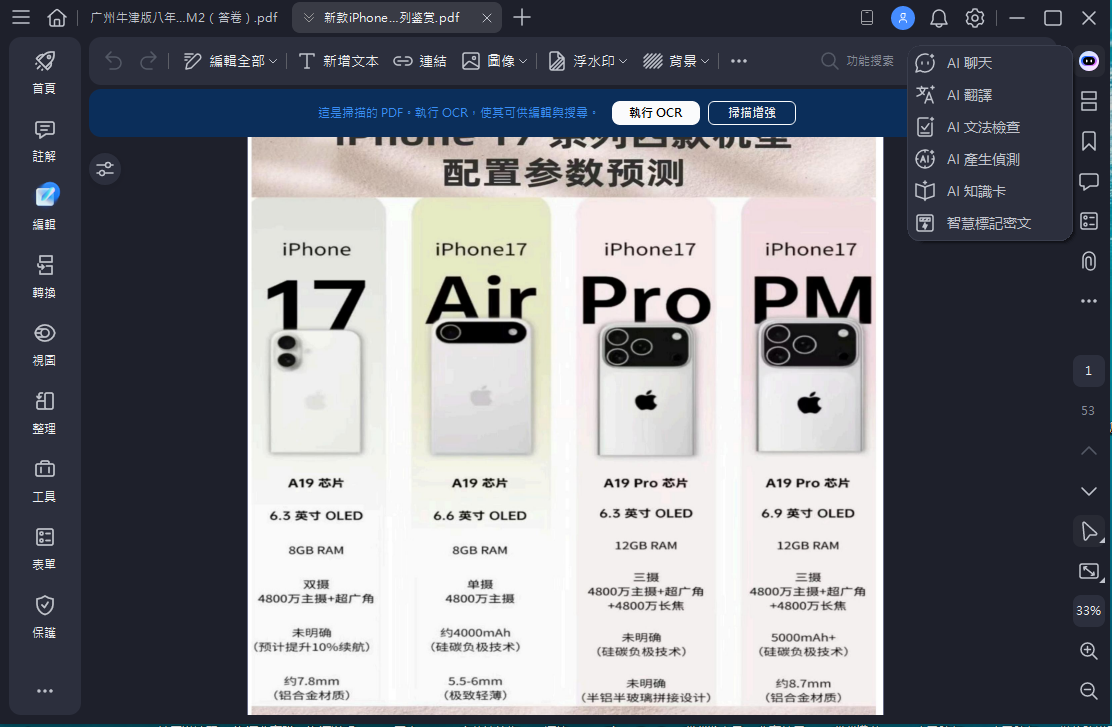
●After the installation is complete, you can use the full version of the software, including Ai Assistant, PDF format conversion, merging, annotation, organization, editing and sealing operations
【Downloads】
https://pan.quark.cn/s/8fd27fc091c5#/list/share
https://drive.uc.cn/s/f6100457f9554#/list/share
https://pan.baidu.com/s/188FyhjXIdJ5PHYIsR5v9yg?pwd=1024#list/path=%2F
https://pan.xunlei.com/s/VOZrORyZ_i5O6JeR49eCfOEzA1?pwd=diu9